Network infrastructure
Networks designed around how your site is used, from a single office to several buildings.
- Structured cabling and patch panels
- Switching, routing and VLANs
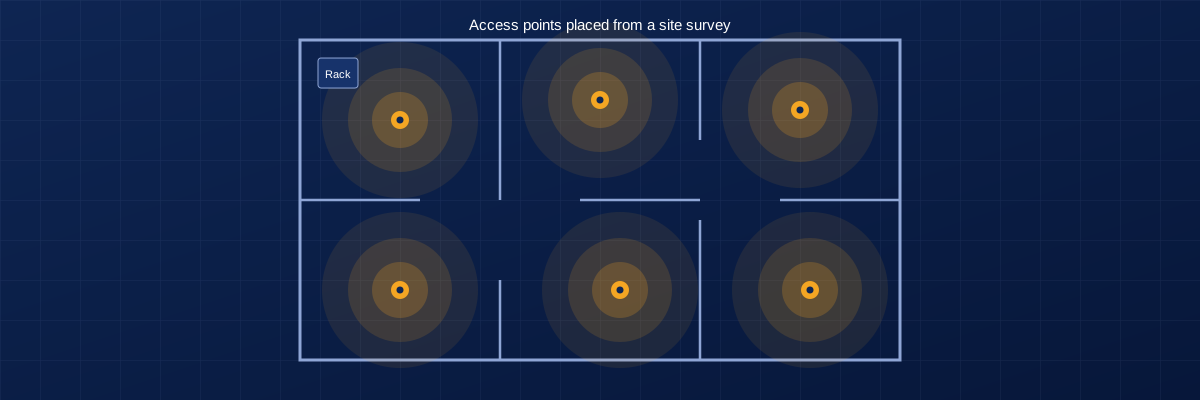
- Managed Wi-Fi design and install
- Cisco Meraki configuration
Zelmon plans, installs and supports business networks, wireless, security cameras and storage. Every cable is labeled and every setting is documented.
Cabling, switching, routing and Wi-Fi
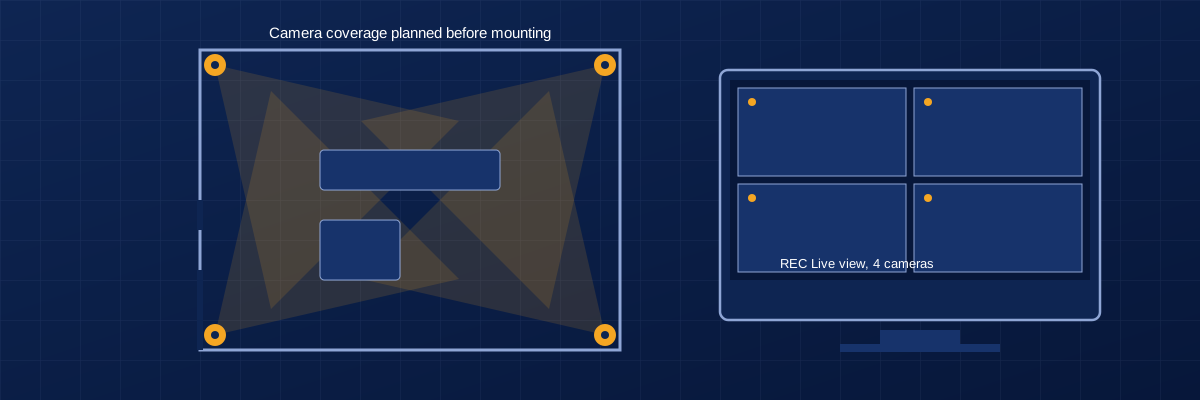
IP cameras with remote viewing
Network storage set up and protected
Technicians who finish and document the job
Five service areas that cover the technology a business site depends on. Most projects combine two or more.
Networks designed around how your site is used, from a single office to several buildings.
Technicians on site to install, replace and troubleshoot equipment.
Camera systems planned for coverage, installed cleanly and viewable remotely.
Shared storage and backups that keep your files available and recoverable.
Custom software and data work, offered alongside infrastructure projects.
The same five steps for every job, so you know what happens next and what you will hold at the end.
We visit the site, check the building, and note existing cabling, equipment and constraints.
You receive: findings and open questions
We write the scope, choose equipment and agree a schedule with you before work begins.
You receive: written scope and equipment list
Cabling, hardware and configuration are completed to the agreed plan, with disruption kept low.
You receive: working systems
We test every run and connection, then record what was installed and how it is set up.
You receive: diagrams, labels, settings record
After handoff we are available for follow-up visits and remote help.
You receive: a contact who knows your site
Two short animated walkthroughs of our process. They have no audio.
Survey, plan, install, test and document, shown on a floor plan.
Camera placement, wiring to a recorder, and live viewing from a phone.
Our work suits any location that depends on a reliable network. If your site has special requirements, tell us up front.
Reliable Wi-Fi, organized cabling, shared storage and secure access for staff.
Networks for point-of-sale, guest Wi-Fi and cameras covering entrances and floors.
Wireless coverage across large floors, device connections and camera coverage.
Segmented networks, dependable connections and backed-up storage.
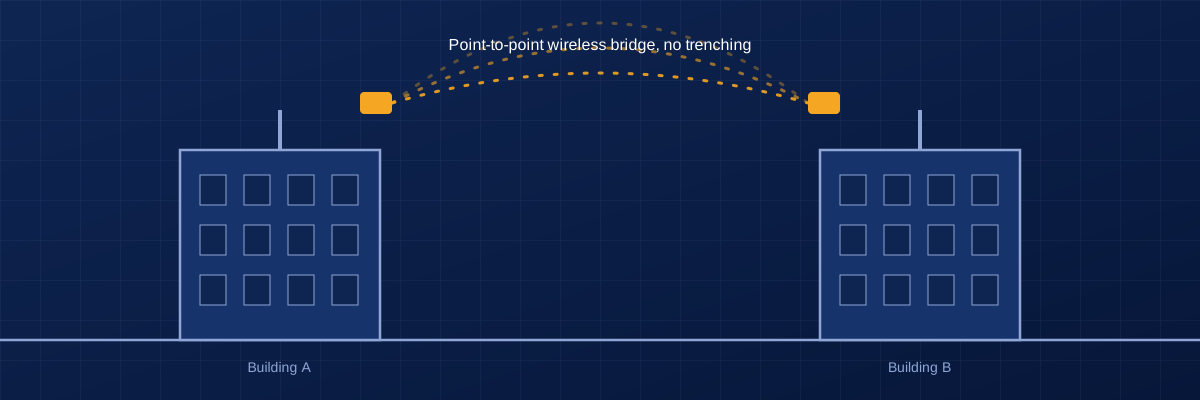
Wireless bridges and shared networks that avoid trenching between buildings.
Practical networks sized to the budget, with documentation for volunteers who inherit them.
The hardware we configure and support day to day, and what that work includes.
Cloud-managed switches, wireless and security appliances. We handle initial setup, network segmentation, wireless settings and dashboard configuration so you can see and manage your network remotely.
Business wireless access points, switches and point-to-point wireless bridges for linking buildings, including alignment, testing and performance records.
Network-attached storage setup, RAID configuration, shared folders, user permissions and scheduled backups.
Camera selection and placement, PoE wiring, recorder configuration, retention settings and remote viewing on phones and computers.
Copper and fiber runs, patch panels, racks and labeling, with every run tested and recorded.
A finished project includes the information needed to run, change and support it without calling us first.
Every cable and port is labeled to match the diagram.
A clear drawing of how devices connect.
Models, locations and serial numbers for what was installed.
Addressing, network names and key settings written down.
You own the accounts and credentials for your systems.
A short session on day-to-day use and what to do if something fails.
Three scenarios that show how we scope and deliver work.
Straight answers about quotes, coverage and what to expect.
Send us the site address, what you want done, and any equipment you already own. For straightforward work we can quote from that information. For larger or unclear jobs we visit first, then send a written scope with equipment and schedule before any work starts.
We are based in Skokie, Illinois and serve the Chicago area. If your site is elsewhere, contact us and we will tell you whether we can take the job.
Either way. We can recommend and source equipment for your site and budget, or install and configure hardware you already have.
Yes. We plan installs to limit disruption, including evenings or weekends when the site needs it. Tell us your constraints when you request a quote.
Labeled cabling, a network diagram, an equipment list, a record of configuration settings, admin access for you, and a short walkthrough of how everything works.
Yes. We provide follow-up visits and remote help after a project closes. Ask about it when you request a quote so we can scope it with the job.
Send the location, what needs to be installed or fixed, and your timeline. We reply with questions or next steps, usually before any visit is needed.